Will-Call Staging
Integration
Spire Systems POS
Bin Display
TAG58 (5.8″ BWR)
Templates
Idle + Occupied (auto-swap)
2
Templates
TAG58
5.8″ Screen
Auto
Aging
Zones
Grouping
Step 1
Idle
Bin shows “Available”
Step 2
Assign
SO assigned to bin
Step 3
Pickup
Customer collects order
Step 4
Release
Tag reverts to idle
Staging Bin Features
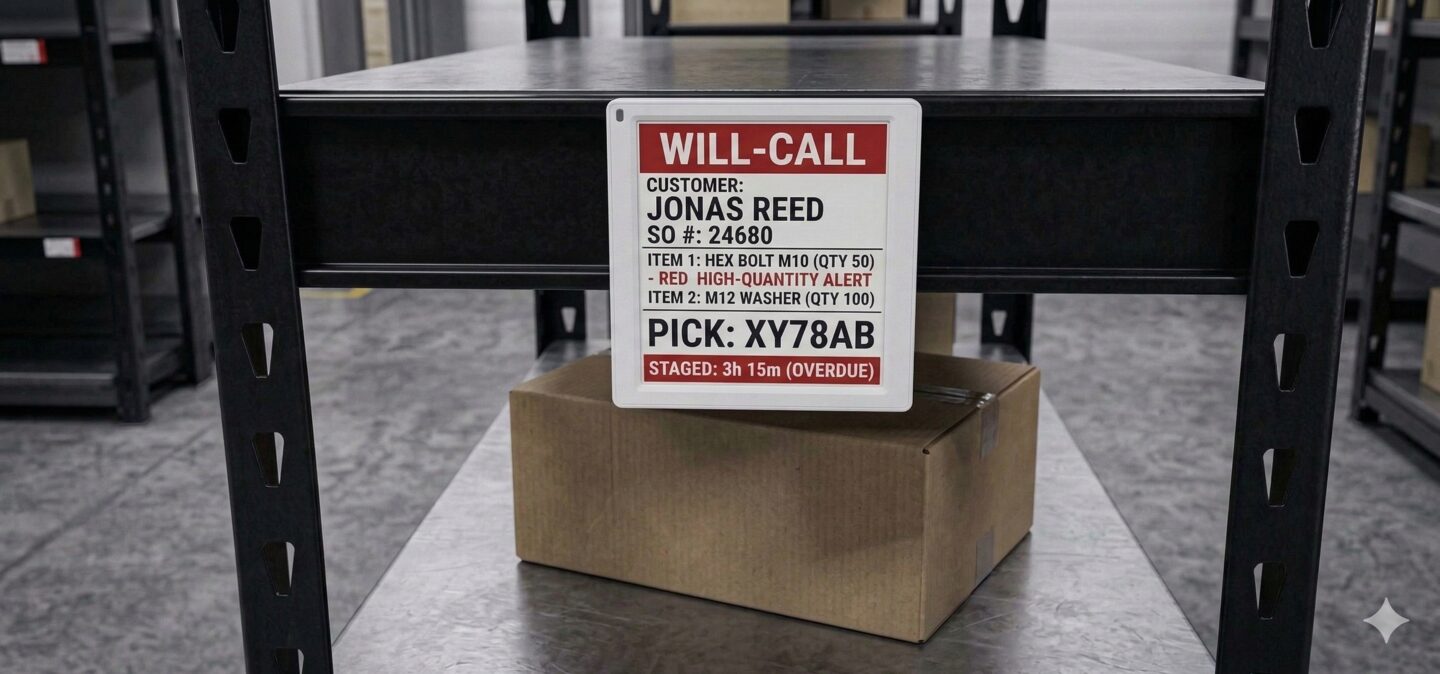
Occupied Template
When an SO is assigned, the TAG58 shows customer name, order number, line items, and a 6-character pickup code. Staff and customers can identify orders at a glance.
TAG58 · Customer-facing display
Idle Template
Empty bins show the bin label, zone, and “Available” status. The template auto-swaps when an SO is assigned or released — no manual screen refresh needed.
Auto-swap on assign/release
Urgency Aging
The template calculates how long an order has been staged. Aging data is available as a binding key, so templates can highlight orders that have been waiting too long.
Time-based visual escalation
Zone Grouping
Bins are organized into zones (e.g. “Counter A,” “Warehouse B”). The admin board groups bins by zone for a clear overview of staging capacity across the facility.
Admin board with zone filters
See will-call staging in action
We'll assign a live sales order to a staging bin and show the full idle → occupied → release cycle.